ITE SIEMENS SFH34 Automation
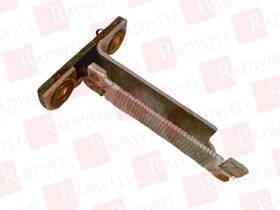
( Brand: Ite Siemens ), ( Manufacturer Part Number: SFH34 )
Review ITE SIEMENS Used
The **ITE Siemens SFH34** is a high-performance, compact, and versatile **Siemens-based industrial touchscreen panel PC** designed to deliver robust computing power in demanding industrial environments. Engineered with reliability and durability in mind, this ruggedized device integrates seamlessly into automation, manufacturing, and process control systems, offering a perfect blend of performance, flexibility, and ease of integration. Built around a **Siemens SIMATIC WinCC** or **TIA Portal** ecosystem, the SFH34 excels as a control and monitoring station, providing real-time data visualization, SCADA (Supervisory Control and Data Acquisition) functionality, and seamless connectivity to PLCs, sensors, and other industrial devices. Its **14.1-inch (or 15.6-inch, depending on variant) high-brightness TFT LCD display** ensures clear visibility even in bright factory settings, while an **anti-glare surface** and **wide viewing angles** minimize eye strain during prolonged use.
The SFH34 is constructed with **military-grade (MIL-STD-810G) protection**, featuring an **IP65-rated enclosure** that guards against dust, water splashes, and harsh environmental conditions, making it ideal for use in factories, oil and gas refineries, power plants, and outdoor control rooms. Its **wide operating temperature range** (from **-20 C to 60 C**) ensures consistent performance in extreme climates, while **vibration and shock resistance** prevents malfunctions during heavy machinery operation. The device is equipped with **multiple communication interfaces**, including **Ethernet (Gigabit), USB (host/device), RS-232/422/485 serial ports, and optional wireless connectivity (Wi-Fi/Bluetooth)**, allowing for flexible integration with industrial networks, IoT devices, and legacy systems. Its **compact yet sturdy design** enables easy mounting on control panels, walls, or mobile carts, while the **hot-swappable components** minimize downtime during maintenance.
Powered by an **embedded industrial-grade processor** (typically an Intel Celeron or Pentium series), the SFH34 delivers **efficient multitasking** for running **Siemens WinCC, SCADA software, HMI applications, or custom industrial programs** without lag. Its **expandable storage options** (via SSD or HDD) provide ample space for databases, historical data logging, and application files, while **redundant power inputs** (including PoE support) ensure uninterrupted operation even during power fluctuations. The SFH34 also supports **multi-touch and gesture controls**, enhancing operator interaction with industrial interfaces, and its **customizable keyboard and touchpad options** cater to different workflow requirements. Whether used for **process automation, energy management, or predictive maintenance**, this Siemens-based panel PC stands as a dependable, future-proof solution for industries where reliability and performance are non-negotiable.
### **Pros and Cons of buying a ITE Siemens SFH34 (Smart Home Hub)**
#### **Pros:**1. **Compatibility with Multiple Smart Home Ecosystems** The SFH34 supports **Zigbee, Z-Wave, and Wi-Fi** devices, making it versatile for integrating systems from different brands (e.g., Philips Hue, Samsung SmartThings, Nest, and more). This avoids vendor lock-in and allows for greater flexibility in expanding your smart home setup.
2. **Local Processing & Privacy** Unlike cloud-dependent hubs, the SFH34 processes data locally, reducing reliance on third-party servers. This enhances privacy and security, as sensitive information (like voice commands or sensor data) does not need to be sent to external platforms.
3. **Advanced Automation & Scenarios** The hub supports **complex automation rules**, including time-based triggers, geofencing, and device interdependencies. Users can create sophisticated routines (e.g., "When motion is detected and the door is unlocked, turn on the lights and set the thermostat to 22 C").
4. **Open API & Developer-Friendly** The SFH34 provides an **open API**, allowing advanced users to customize integrations via scripting (Python, Node-RED) or third-party apps. This is ideal for tech-savvy individuals who want full control over their smart home ecosystem.
5. **Reliable & Stable Performance** Siemens has a reputation for **durable hardware**, and the SFH34 is designed for long-term use. It supports **over-the-air (OTA) updates**, ensuring compatibility with new devices and security patches over time.
6. **No Monthly Subscription Fees** Unlike some cloud-based hubs (e.g., Amazon Echo Plus or Google Nest Hub), the SFH34 operates without recurring costs, making it a cost-effective long-term solution.
7. **Supports a Wide Range of Devices** With **Zigbee 3.0 and Z-Wave Plus** support, it works with thousands of compatible sensors, switches, and actuators from brands like **Aqara, Fibaro, Osram, and more**.
8. **Voice Assistant Integration** While not a voice assistant itself, it seamlessly integrates with **Alexa, Google Assistant, and Siri** via local processing or cloud bridges, allowing voice control without sacrificing privacy.
9. **Future-Proofing** Siemens continues to update firmware, and the hub s modular approach means it can adapt to new smart home standards without requiring a full replacement.
10. **Good for Large Homes or Complex Setups** Its ability to handle **multiple protocols simultaneously** makes it ideal for homes with extensive automation needs, such as security systems, climate control, and energy management.
---
#### **Cons:**1. **Learning Curve for Beginners** The SFH34 is **not plug-and-play** for non-technical users. Setting up automations and integrations requires some familiarity with smart home concepts, APIs, or third-party apps like **Home Assistant** or **Node-RED**.
2. **No Built-in Display or Touch Interface** Unlike some all-in-one smart speakers (e.g., Amazon Echo Show), the SFH34 has **no screen or voice assistant built-in**. Users must rely on companion apps (like the **Siemens Smart Home app**) or third-party interfaces.
3. **Limited Physical Controls** The hub itself has **no buttons or indicators**, meaning troubleshooting issues (e.g., device disconnections) requires checking logs via an app or computer.
4. **Requires Basic Technical Knowledge** While not extremely complex, managing the hub may involve **port forwarding (for Z-Wave), local server setup (for Home Assistant), or command-line configurations**, which can be intimidating for casual users.
5. **No Official Mobile App for Full Control** The **Siemens Smart Home app** is functional but lacks the polish of dedicated apps like **SmartThings or Home Assistant s interface**. Advanced users often prefer running the hub with **Home Assistant** or **OpenHAB** for better control.
6. **Z-Wave Range Limitations** While Z-Wave is generally reliable, **signal strength can degrade in large homes or through thick walls**. Users may need **repeaters or mesh network optimization** for full coverage.
7. **No Built-in Backup & Restore** Unlike some cloud-based systems, the SFH34 does not automatically back up configurations. Users must manually export/import settings if the hub is reset or replaced.
8. **Dependence on Third-Party Software for Full Potential** To unlock the hub s full capabilities (e.g., advanced automations, dashboards), users often need to **integrate it with Home Assistant, Node-RED, or other open-source platforms**, adding complexity.
9. **Limited Official Support for Some Devices** While it supports many Zigbee/Z-Wave devices, **some newer or niche brands may require manual pairing or workarounds**, especially if they rely on proprietary cloud services.
10. **Not Ideal for Purely Voice-Controlled Homes** If a user s primary interaction method is **voice commands**, a hub like the SFH34 may feel less intuitive than a smart speaker (e.g., Google Nest Hub or Amazon Echo Show), which handles voice and display natively.
---
### **Conclusion & Recommendation**
The **ITE Siemens SFH34** is a **powerful, flexible, and privacy-focused smart home hub** best suited for:- **Tech-savvy users** who want **full control** over their smart home ecosystem.
- **Homeowners with complex automation needs**, such as **security systems, energy management, or multi-zone climate control**.
- **Those who prioritize local processing** and want to avoid cloud dependency.
- **Users who already use Zigbee/Z-Wave devices** and want a reliable, long-term hub.
However, it is **not ideal for**:- **Casual users** who prefer simplicity and don t mind cloud-based solutions (e.g., Amazon Smart Home or Google Home).
- **Those who want a voice-first experience** with built-in display and touch controls.
- **Users who dislike configuring automation rules** or managing a local server.
#### **Final Recommendation:** **Buy the SFH34 if:**You have **Zigbee/Z-Wave devices** and want a **local, open, and scalable hub**.
You re comfortable with **some technical setup** (e.g., Home Assistant, Node-RED).
You prioritize **privacy and long-term cost savings** over convenience.
**Avoid the SFH34 if:**You want a **plug-and-play, app-controlled** smart home solution.
You rely heavily on **voice assistants** with built-in displays.
You re not willing to **learn or troubleshoot** smart home configurations.
#### **Alternatives to Consider:**- **For beginners:** **Amazon Echo Plus (4th Gen)** or **Google Nest Hub Max** (cloud-based, voice-first).
- **For open-source flexibility:** **Home Assistant Yellow** (similar to SFH34 but with a built-in OS).
- **For Z-Wave/Zigbee only:** **Samsung SmartThings Hub** (easier app interface but cloud-dependent).
- **For advanced users:** **Raspberry Pi Home Assistant** (more customizable but requires self-hosting).
The SFH34 is a **strong choice for serious smart home enthusiasts**, but its complexity means it s best paired with the right expectations and technical readiness.
Details:
Part Number SFH34. Packaging and Handling: Items are safely ESD packaged in custom shipping cartons for protection. Call to use a shipping service other than the ones listed. Sells new and surplus product develops channels to purchase such.
All products are guaranteed to be working but may show signs of use if purchasing a used product.
specifications automationjack:
- brand: Ite Siemens
- mpn: Sfh34
offer automationjack:
- availability: In Stock
- options: Ship-to-home
- started: March 25, 2026
- quantity: 1
- sold: 0
general automationjack:
- Business Industrial > Industrial Automation Motion Controls > Other Automation Equipment
- condition: Used
shipping automationjack:
- type: Fixed
- cost: $12.90
- service: Standard
- class: Standard
- transit: 23-36 Days
payments automationjack:
- wallet: Apple-pay
- other
- credit card: Mastercard
returns automationjack:
- paid by: Buyer
- policy: Returns Accepted
- time: 30 Days
- method: Money back
seller automationjack:
- rating: 99.6%
- city: 1 Millennium Dr, Willingboro, NJ 08046
- # reviews: 196181
Ite Siemens SFH34 Is Similar To:
- Ite Siemens Sfh32 Used Tested Cleaned (73% similar) All products are guaranteed to be working but may show signs of use. Sells new and surplus product develops channels to purchase such. Call to use a shipping service other than the ones listed. Packaging and handling: Items are safely eds packaged in custom shipping cartons for protection...(August 2nd, 2024)
- Siemens ite 3rt1936-1cc00 Surge Suppressor 48 To 127v Used (36.6% similar) But, buyer pays actual shipping cost for Items sent via ups or fed ex. Siemens 3RT1936-1CC00 surge suppressor lock: fr X9, 48 to 127VAC / 70-150VDC, used in great condition free shipping. It will work when arrives. AK, hi, pr: free shipping for Items via the post office. I do miss things ...(November 17th, 2024)
- Ite Siemens G30m38 Used (81.6% similar) The product is used surplus. Sells new and surplus product develops channels to purchase such. Packaging and handling: Items are safely eds packaged in custom shipping cartons for protection. All products are guaranteed to be working but may show signs of use. Part number G30M38. Call to use a ...(December 13th, 2024)
- Ite Siemens G30m39 Used (81.6% similar) Call to use a shipping service other than the ones listed. Packaging and handling: Items are safely eds packaged in custom shipping cartons for protection. Sells new and surplus product develops channels to purchase such. Part number G30M39. All products are guaranteed to be working but may show ...(December 13th, 2024)
- Ite Siemens 5713129001.00 571312900100 Used (58% similar) Sells new and surplus product develops channels to purchase such. Call to use a shipping service other than the ones listed. Packaging and handling: Items are safely eds packaged in custom shipping cartons for protection. All products are guaranteed to be working but may show signs of use if ...(April 25th, 2025)
- Ite Imperial A103b12 Asea Brown Boveri Used (43.5% similar) Part number A103B12. Call to use a shipping service other than the ones listed. Sells new and surplus product develops channels to purchase such. Packaging and handling: Items are safely eds packaged in custom shipping cartons for protection. All products are guaranteed to be working but may show ...(April 29th, 2025)
- Ite Siemens A143e12 Used (80% similar) Sells new and surplus product develops channels to purchase such. Packaging and handling: Items are safely eds packaged in custom shipping cartons for protection. Part number A143E12. All products are guaranteed to be working but may show signs of use if purchasing a used product. Call to use a ...(July 29th, 2025)
- Ite Siemens 2160-b730ja-12-29.41 Rowan Control 2160-b730ja 75a 20-600v 3 Pole Contactor (30.6% similar) With a capacity of 75A and voltage range 20-600V, this 3-POLE contractor is perfect for variety applications...(October 14th, 2025)
- Ite Siemens F10nocr Used Good Condition (58.5% similar) This product is known for its durability and functionality, making it a valuable asset industrial automation motion control systems. If the Item has free shipping it is to lower 48 continental us states only. See photos above for details and Item specs, BB-4-V # 5652 7/16/2025, specs. With its ...(November 6th, 2025)
- Ite Siemens T32a Used (85.1% similar) Part number T32A. Call to use a shipping service other than the ones listed. All products are guaranteed to be working but may show signs of use if purchasing a used product. Sells new and surplus product develops channels to purchase such. Packaging and handling: Items are safely eds packaged in ...(January 26th, 2026)
- Ite Siemens G10c-276 G10c276 Used (64.4% similar) All products are guaranteed to be working but may show signs of use if purchasing a used product. Sells new and surplus product develops channels to purchase such. Call to use a shipping service other than the ones listed. Packaging and handling: Items are safely eds packaged in custom shipping ...(January 28th, 2026)